
 by
by 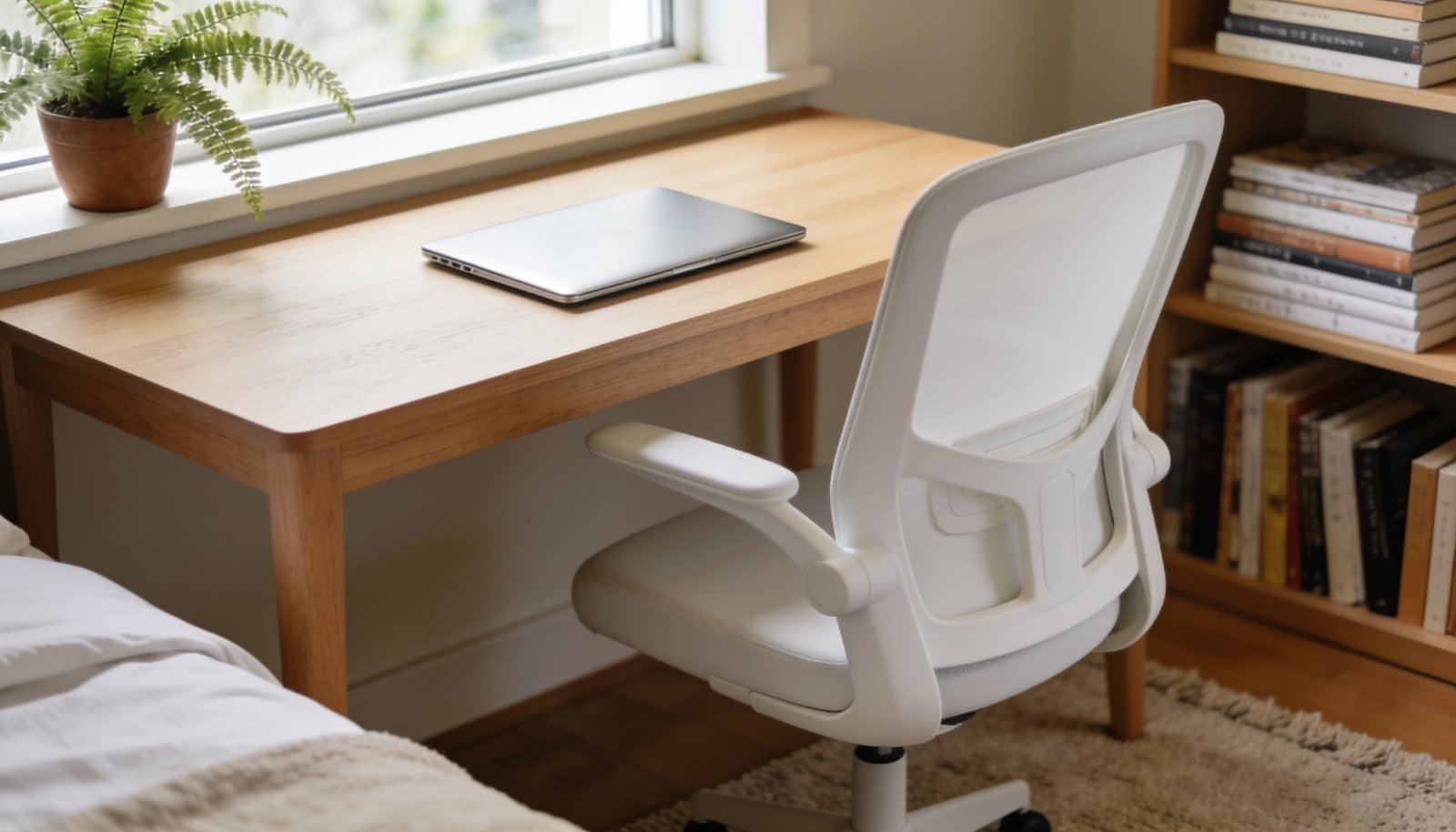
Setting up a home office in a bedroom corner can save space and keep work separate from rest of the day. It is possible to create a quiet, functional area without major changes to the room. A few simple steps will help you organise the space and improve focus.
Choose a Quiet Corner
Pick a corner that is away from the main traffic flow of the room. The area should receive minimal natural light to reduce glare on screens. Placing the desk here helps create a psychological boundary between work and relaxation.
Use a small rug to define the space and add a touch of comfort. The rug should be soft enough to sit on but firm enough to support the desk. It also helps dampen sound and makes the corner feel more inviting.
Add a simple plant to bring a bit of nature into the office. Choose a low-maintenance species that thrives in indoor light. It improves air quality and gives the space a calm aesthetic.
- Pick a corner away from traffic.
- Use a small rug.
- Add a low-maintenance plant.
Select a Compact Desk
Choose a desk that fits the chosen corner without crowding the room. A desk with a shallow profile keeps the space open and reduces clutter. It should have enough surface area for a laptop, a notebook and a few essential items.
Consider a desk with built-in storage to keep stationery out of sight. Shelves or drawers help maintain a tidy appearance and protect sensitive documents. They also free up the main surface for active work tasks.
Ensure the desk height is comfortable for prolonged sitting. A desk that is too high or too low can strain the neck and back. Adjust the chair accordingly to maintain good posture.
Use a simple desk lamp with a flexible arm for focused lighting. Position the lamp to avoid reflections on the screen. It also provides a warm ambience during late-night sessions.
- Choose a shallow desk.
- Add built-in storage.
- Adjust height for comfort.
- Use a flexible lamp.
Ergonomic Chair and Seating
Select a chair that supports the lower back and allows the feet to rest flat. The seat should be adjustable to match the desk height and personal comfort. A good chair can prevent fatigue during long hours at the computer.
Place a small cushion or lumbar support if the chair feels too firm. The cushion should be firm enough to provide support but soft enough to sit on comfortably. It helps maintain a natural spine alignment.
Keep the chair in a position that allows easy movement around the desk. Avoid locking the chair to the floor if it obstructs circulation. A free-moving chair encourages better posture and flexibility.
Replace the chair with a new one if it shows signs of wear or discomfort.
If the chair is heavy or difficult to move, consider a lighter alternative.
If the chair is not suitable for long use, seek a professional recommendation.
- Choose an ergonomic chair.
- Add a cushion or lumbar support.
- Ensure easy movement.
Cable Management
Run cables along the edge of the desk to keep them out of sight. Use simple clips or ties to bundle excess length and prevent tangles. This reduces visual clutter and improves safety.
Keep power strips close to the desk but away from foot traffic. Position them on a small shelf or under the desk to avoid tripping hazards. Ensure they have sufficient capacity for all devices.
Label each cable if possible to identify its purpose quickly. This helps when troubleshooting or rearranging the office setup. It also prevents accidental disconnection of essential equipment.
If the cables are long, consider a cable management box to hide them.
If the cables pose a tripping risk, seek a professional electrician.
If the cables are difficult to manage, replace them with shorter ones.
Lighting and Ventilation
Add a desk lamp that provides bright, colour-accurate light. Position the lamp to avoid glare on the screen and reduce eye strain. The lamp should also complement the room’s overall lighting scheme.
If the corner receives little natural light, consider a floor lamp nearby. The lamp should provide a warm glow that supports concentration.
Ensure the room has adequate ventilation to keep the workspace comfortable. Open a window or use a small fan if the room feels stuffy.
If the room lacks proper airflow, consult a professional to assess ventilation options.
If the lighting is insufficient, replace the lamp with a brighter model.
If the fan is noisy, consider a quieter alternative.
- Add a desk lamp.
- Use a floor lamp for extra light.
- Ensure adequate ventilation.
Personalise the Space
Add a small bulletin board or whiteboard to keep tasks visible. It should be placed within easy reach of the desk to encourage regular updates.
Hang a framed print or photo that inspires calm and focus. Choose artwork that does not distract but adds a personal touch.
Keep personal items to a minimum to maintain a clean workspace. Store them in a small drawer or box to avoid clutter.
If the space feels too sterile, add a small decorative element that reflects your style.
If the décor feels overwhelming, reduce the number of items.
If the personal items are causing distraction, relocate them outside the office area.
- Use a bulletin board.
- Hang inspiring artwork.
- Store personal items in a drawer.
A well-planned bedroom corner can become a productive and peaceful home office. With a few thoughtful choices, the space will support work and rest alike.
Join The Discussion